

Distributeurs automatiques pour WiFi instable : guide 2026
Table des matières
- Que rechercher dans les distributeurs intelligents pour un Wi-Fi instable
- Distributeurs automatiques pour chats avec programmation hors ligne
- Distributeurs pour animaux avec protection par batterie de secours
- Comment résoudre les problèmes de connectivité des distributeurs intelligents
- Meilleurs distributeurs intelligents fonctionnant hors ligne
- Tableau comparatif : capacités hors ligne et fiabilité
- Erreurs courantes lors du choix de distributeurs pour un Wi-Fi médiocre
- Conclusion
Dernière mise à jour : 21 août 2026
Que rechercher dans les distributeurs intelligents pour un Wi-Fi instable
Lorsque votre connexion internet est fréquemment interrompue, un distributeur intelligent devient peu fiable s'il dépend entièrement de la connectivité cloud. Les meilleurs distributeurs intelligents pour un Wi-Fi instable combinent une fonctionnalité hors ligne avec une programmation intelligente, afin que votre animal soit nourri à l'heure, que votre routeur fonctionne ou non. Ce guide de Bentley's Bark couvre les fonctionnalités essentielles qui distinguent les distributeurs fonctionnant hors ligne de ceux qui tombent en panne lorsque la connexion est perdue.
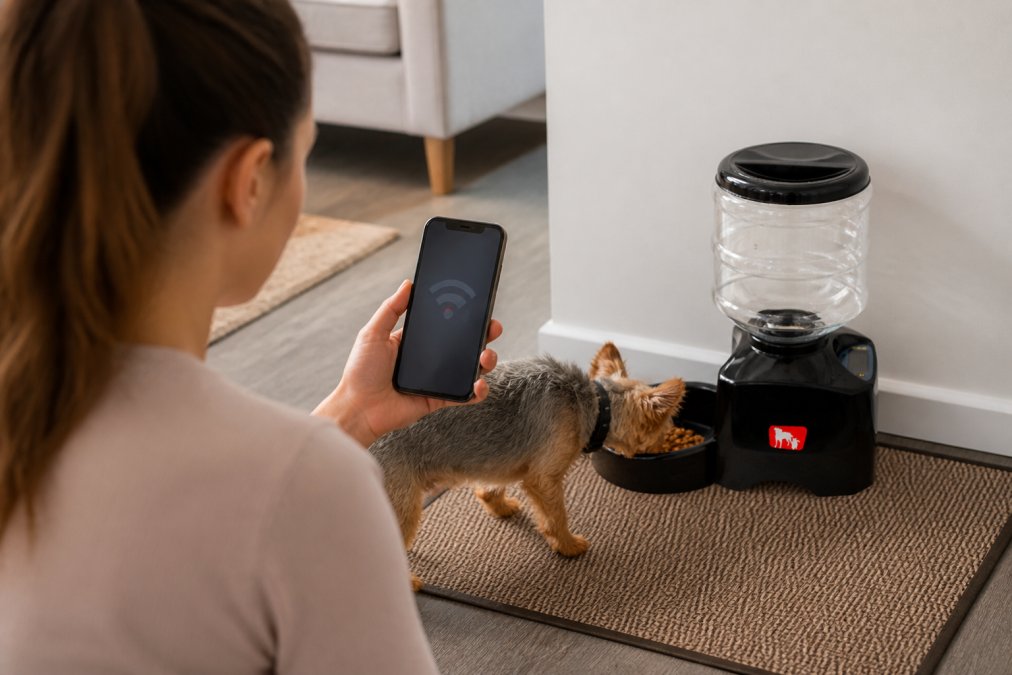
Recherchez ces fonctionnalités spécifiques lors de l'évaluation des distributeurs intelligents pour un Wi-Fi instable :
Programmation locale sans dépendance au cloud. Le distributeur doit vous permettre de programmer les repas directement sur l'appareil lui-même, et non uniquement via une application. Si votre internet tombe, l'appareil continue de distribuer les repas aux heures que vous avez définies.
Batterie de secours ou double alimentation. Un distributeur qui passe sur batterie en cas de coupure de courant assure que l'alimentation se poursuit pendant les pannes.
Contrôle des portions avec fiabilité mécanique. Le mécanisme de distribution doit être anti-bourrage et fonctionner de manière cohérente, que l'appareil soit connecté ou hors ligne. Recherchez des composants en acier inoxydable et évitez les modèles qui reposent sur des capteurs électroniques.
Indicateurs de mode hors ligne. Les meilleurs modèles vous indiquent clairement s'ils fonctionnent sur batterie, avec une programmation locale ou en mode connecté.
Capacité adaptée aux besoins de votre animal. Une capacité de 5,5 litres convient à la plupart des chiens et chats. Le distributeur automatique programmable de 5,5 L pour chiens et chats de Bentley's Bark, à 109,95 $, peut contenir suffisamment de nourriture pour plusieurs jours et fonctionne selon une programmation locale sans nécessiter de Wi-Fi.
Compatibilité avec différentes tailles de croquettes. Le mécanisme de distribution doit pouvoir accueillir la nourriture de votre animal sans blocage ni débordement.
Distributeurs automatiques pour chats avec programmation hors ligne
Les distributeurs automatiques pour chats avec programmation hors ligne résolvent un problème spécifique : les chats ont besoin d'un contrôle précis des portions et préfèrent souvent plusieurs petits repas tout au long de la journée. Un distributeur qui conserve une programmation hors ligne garantit que votre chat reçoit exactement les portions que vous avez définies, que votre Wi-Fi soit actif ou non.
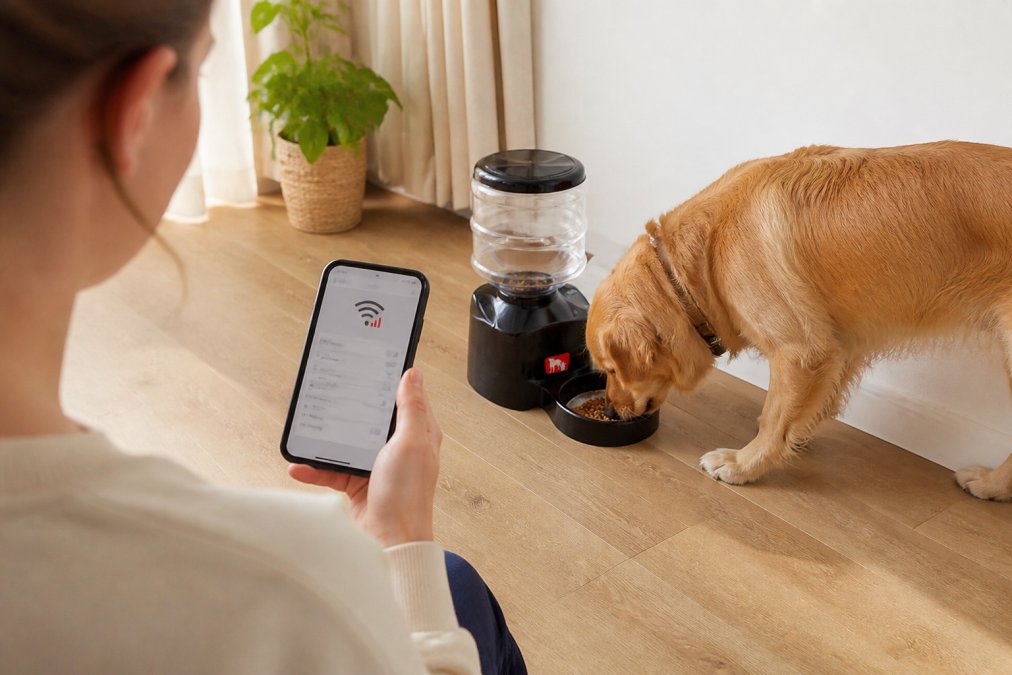
Les meilleurs distributeurs automatiques pour chats utilisent des minuteries mécaniques ou une mémoire numérique locale pour stocker les programmes d'alimentation. Lorsque vous programmez l'appareil, le distributeur mémorise ces paramètres de façon permanente. Même en cas de coupure de courant ou de perte de Wi-Fi, le programme est conservé.
Les distributeurs pour chats diffèrent des distributeurs pour chiens sur un point crucial : les tailles de portion sont plus petites et le mécanisme de distribution doit être plus précis. Recherchez des modèles avec des portions réglables allant de 5 à 50 grammes par repas (consultez les [EXTERNAL_LINK: directives de l'Association canadienne des médecins vétérinaires | cavma.ca] pour des recommandations diététiques spécifiques). La batterie de secours est particulièrement importante pour les distributeurs pour chats, car ces derniers mangent souvent la nuit pendant que vous dormez.
Lors de vos recherches, privilégiez les modèles qui indiquent explicitement qu'ils fonctionnent sans Wi-Fi ou connectivité d'application. Lisez les avis d'autres propriétaires de chats vivant dans des zones où l'internet est instable pour confirmer que le mode hors ligne fonctionne réellement comme annoncé.
Distributeurs pour animaux avec protection par batterie de secours
La batterie de secours fait la différence entre un animal affamé et un animal nourri lors d'une coupure de courant. Un distributeur sans batterie de secours cesse de distribuer les repas dès que l'alimentation secteur est coupée. Les distributeurs avec batterie de secours basculent en toute transparence sur l'alimentation par batterie et continuent de fonctionner selon le programme établi.
Les meilleurs systèmes de secours utilisent des batteries au lithium rechargeables ou des piles alcalines standard. Pour les situations de Wi-Fi instable, les piles alcalines sont souvent plus fiables, car vous ne dépendez pas du fait de penser à les recharger.
Vérifiez la capacité de la batterie avant l'achat. Visez au moins 48 heures d'alimentation de secours ([EXTERNAL_LINK: recommandations de Sécurité publique Canada pour la préparation aux situations d'urgence | publicsafety.gc.ca]). Certains modèles haut de gamme offrent 72 heures ou plus, ce qui vous laisse le temps de résoudre les problèmes d'alimentation sans que votre animal ne manque de repas.
La double alimentation est la référence. Le distributeur bascule automatiquement et instantanément entre l'alimentation secteur et la batterie de secours. Testez la batterie de secours avant de vous y fier en débranchant le distributeur de l'alimentation secteur et en vérifiant qu'il continue de distribuer les repas selon le programme.
Lors de vos achats, demandez toujours : « Combien de temps ce distributeur fonctionne-t-il sur batterie de secours ? » et « Passe-t-il automatiquement sur batterie en cas de coupure de courant ? » Si l'on ne peut pas vous donner de réponse claire, choisissez un autre modèle.
Comment résoudre les problèmes de connectivité des distributeurs intelligents
Même les meilleurs distributeurs intelligents perdent parfois leur connexion Wi-Fi ou ne parviennent pas à se synchroniser avec l'application. Lorsque cela se produit, vous avez besoin d'un processus de dépannage qui permet de remettre le distributeur en état de marche sans perturber le programme d'alimentation de votre animal.
La force du signal Wi-Fi est le premier élément à vérifier. Les distributeurs intelligents nécessitent généralement un signal Wi-Fi 2,4 GHz avec une force d'au moins -70 dBm. Si votre distributeur est éloigné de votre routeur ou se trouve dans une zone morte, il ne se connectera pas de manière fiable. Déplacez temporairement le distributeur plus près du routeur pour tester si le problème vient de la force du signal.
Redémarrez le distributeur et le routeur. Débranchez le distributeur pendant 30 secondes, puis rebranchez-le. Simultanément, redémarrez votre routeur en le débranchant pendant 30 secondes. Cela efface les erreurs de connexion temporaires et force les deux appareils à se reconnecter proprement.
Recherchez les mises à jour du micrologiciel. Ouvrez l'application du distributeur et recherchez une option de mise à jour. Les fabricants publient souvent des mises à jour qui améliorent la stabilité du Wi-Fi et corrigent des bugs connus.
Vérifiez que votre réseau Wi-Fi ne bloque pas le distributeur. Certains routeurs disposent de paramètres de sécurité qui empêchent la connexion des appareils domotiques. Vérifiez les paramètres de votre routeur pour confirmer que l'adresse MAC du distributeur ne figure pas sur une liste de blocage.
Réinitialisation d'usine en dernier recours. Si aucune des étapes ci-dessus ne fonctionne, effectuez une réinitialisation d'usine. Cela efface tous les paramètres et ramène le distributeur à son état par défaut. Vous devrez reprogrammer votre horaire d'alimentation, mais une réinitialisation d'usine résout souvent les problèmes de connectivité persistants.
Acceptez le mode hors ligne comme méthode d'alimentation principale. Si le distributeur continue de perdre la connexion malgré le dépannage, utilisez plutôt la fonction de programmation locale du distributeur. Programmez vos heures d'alimentation directement sur l'appareil à l'aide de ses boutons ou de son écran.
Meilleurs distributeurs intelligents fonctionnant hors ligne
Distributeur programmable de 5,5 L : programmation fiable sans dépendance au Wi-Fi
Le distributeur programmable de 5,5 L pour chiens et chats de Bentley's Bark (109,95 $) est le meilleur choix pour les propriétaires d'animaux confrontés à un Wi-Fi instable. Ce distributeur fonctionne selon une programmation locale : vous programmez les heures de repas directement sur l'appareil, et celui-ci exécute ces programmes que votre Wi-Fi soit actif ou non. La capacité de 5,5 litres contient suffisamment de nourriture pour plusieurs jours.
La conception du distributeur privilégie la fiabilité à la complexité. Il est fabriqué en plastique ABS durable avec une interface conviviale qui ne nécessite pas une connectivité constante à une application. Vous pouvez définir plusieurs heures de repas par jour, et le distributeur distribue des portions précises à chaque heure prévue. Le système de distribution mécanique est anti-bourrage.
Ce qui rend ce distributeur remarquable pour les situations de Wi-Fi instable : il ne dépend pas de la synchronisation cloud. Vous réglez le programme une fois, et le distributeur le mémorise de façon permanente. Les coupures de courant n'effacent pas vos paramètres car l'appareil stocke les programmes dans sa mémoire locale. La batterie de secours garantit que le distributeur continue de fonctionner pendant les pannes d'électricité.
Le distributeur convient aussi bien aux chats qu'aux chiens, avec des tailles de portion réglables pour répondre aux besoins de votre animal. Le bol en acier inoxydable est amovible et lavable au lave-vaisselle.
Avantages :
- Fonctionne hors ligne avec programmation locale
- Aucune dépendance au Wi-Fi pour les fonctionnalités de base
- Capacité de 5,5 litres réduisant la fréquence de remplissage
- Construction durable avec mécanisme anti-bourrage
- Portions réglables pour chiens et chats
- Bol amovible, lavable au lave-vaisselle
Inconvénients :
- Pas de télécommande via application
- Pas de surveillance par caméra
- Nécessite une programmation manuelle via les boutons de l'appareil
Distributeurs puzzles interactifs : alternatives hors ligne pour l'enrichissement mental
Les distributeurs puzzles interactifs de Bentley's Bark offrent une approche complètement différente au problème du Wi-Fi instable : ils éliminent tout besoin de technologie intelligente. Au lieu de compter sur une distribution électronique et une connectivité Wi-Fi, les distributeurs puzzles exigent que votre animal travaille pour obtenir sa nourriture par le jeu et la résolution de problèmes.
Le jouet distributeur puzzle interactif pour chiens et chats (49,95 $) est conçu pour les deux espèces et fonctionne par définition hors ligne. Vous le remplissez de croquettes ou de friandises, et votre animal comprend comment accéder à la nourriture en déplaçant, roulant ou manipulant le jouet. Cette approche résout deux problèmes simultanément : elle garantit que votre animal mange (aucun Wi-Fi requis) et fournit une stimulation mentale qui prévient l'ennui.
Les distributeurs puzzles sont parfaits pour les propriétaires d'animaux qui souhaitent abandonner complètement la distribution automatique. Vous remplissez le distributeur puzzle une ou deux fois par jour et laissez votre animal manger à son rythme pendant plusieurs heures. Cela imite le comportement naturel de recherche de nourriture et améliore souvent la digestion, car les animaux mangent plus lentement.
Le jouet distributeur puzzle pour animaux (29,95 $) est une conception 2-en-1 qui fonctionne à la fois comme un puzzle et comme un distributeur à alimentation lente. Il est suffisamment durable pour les mâcheurs agressifs et convient aux petites, moyennes et grandes races.
Avantages :
- Aucun Wi-Fi, batterie ou électronique requis
- Fournit un enrichissement mental et réduit l'ennui
- Ralentit la prise alimentaire pour une meilleure digestion
- Conception durable pour les mâcheurs agressifs
- Convient à toutes les tailles d'animaux avec des ajustements de portion
- Prix plus bas que les distributeurs électroniques
Inconvénients :
- Nécessite un remplissage manuel (pas de programmation)
- Moins pratique que les distributeurs automatiques pour les horaires chargés
- Non adapté aux animaux ayant des problèmes dentaires ou aux très jeunes chiots
- Ne permet pas le suivi du contrôle des portions
Le tapis de fouille pliable Ankilo pour chiens (79,95 $) est une autre alternative hors ligne. Vous cachez des croquettes dans les couches de feutre denses du tapis, et votre chien renifle et cherche pour trouver chaque morceau. Cette approche est totalement indépendante du Wi-Fi et procure des heures d'engagement.
Tableau comparatif : capacités hors ligne et fiabilité
| Type de distributeur | Wi-Fi requis | Batterie de secours | Programmation hors ligne | Idéal pour | Prix |
|---|---|---|---|---|---|
| Programmable 5,5 L | Non | Oui | Oui | Chiens et chats ayant besoin de repas programmés | 109,95 $ |
| Puzzle distributeur interactif | Non | Non | N/A | Enrichissement mental et alimentation lente | 29,95 $ - 49,95 $ |
| Tapis de fouille | Non | Non | N/A | Enrichissement par recherche de nourriture et soulagement du stress | 79,95 $ |
| Balle puzzle à alimentation lente | Non | Non | S.O. | Jeu interactif pendant les repas | 29,95 $ |
| Distributeur de nourriture pour dressage | Non | Non | S.O. | Dressage et distribution de friandises | 69,95 $ |
Erreurs courantes lors du choix de distributeurs pour une connexion WiFi instable
Les propriétaires d'animaux commettent des erreurs prévisibles lorsqu'ils achètent des distributeurs dans des zones où la connexion internet est peu fiable. Éviter ces erreurs permet d'économiser de l'argent et d'éviter les interruptions de repas.
Erreur 1 : Supposer que les distributeurs contrôlés par application fonctionnent hors ligne. De nombreux distributeurs disposent d'interfaces d'application mais nécessitent un WiFi constant pour fonctionner. Demandez toujours directement au fabricant : « Ce distributeur fonctionne-t-il sans WiFi ? » Si la réponse inclut « mais il ne se synchronisera pas avec l'application », c'est un signal d'alarme.
Erreur 2 : Ignorer la capacité de la batterie de secours. Un distributeur avec 12 heures de batterie de secours est presque inutile si vos pannes de courant durent généralement plus de 8 heures. Vous avez besoin d'au moins 48 heures d'autonomie, idéalement 72 heures.
Erreur 3 : Choisir des distributeurs avec des mécanismes de distribution complexes. Les distributeurs équipés de multiples capteurs électroniques, moteurs et modules WiFi présentent davantage de points de défaillance. Les conceptions mécaniques plus simples sont plus fiables car il y a moins d'éléments susceptibles de tomber en panne.
Erreur 4 : Acheter en fonction des fonctionnalités de l'application plutôt que de la capacité hors ligne. Les distributeurs les plus populaires disposent d'applications impressionnantes avec surveillance par caméra et programmation à distance. Mais si votre WiFi est instable, ces fonctionnalités sont inutiles. Donnez la priorité à la fonctionnalité hors ligne.
Erreur 5 : Ne pas tester le distributeur avant de s'y fier. Déballez le distributeur, programmez-le et observez-le distribuer la nourriture pendant une journée complète avant de vous en remettre à lui pour les repas de votre animal.
Erreur 6 : Négliger la précision du contrôle des portions. Un distributeur qui distribue 50 grammes alors que vous en avez réglé 30 cause des problèmes de poids. Consultez les avis d'autres utilisateurs pour savoir si les portions du distributeur sont précises.
Les distributeurs intelligents pour WiFi instable fonctionnent mieux lorsqu'ils privilégient la fonctionnalité hors ligne et la fiabilité mécanique par rapport à la connectivité via application. Le distributeur programmable pour chats et chiens de 5,5 L permet une alimentation programmée sans dépendre du WiFi, et les distributeurs puzzles interactifs de Bentley's Bark offrent des alternatives hors ligne pour une alimentation axée sur l'enrichissement. Commencez par faire de la programmation locale et de la batterie de secours vos exigences principales, puis évaluez les fonctionnalités supplémentaires. Cette approche garantit que votre animal soit nourri de manière fiable, que votre internet fonctionne ou non.
Foire aux questions
Q : Les distributeurs intelligents pour animaux fonctionnent-ils en cas de coupure d'internet ?
R : Oui, de nombreux distributeurs intelligents continuent de fonctionner selon les programmes stockés localement lorsque la connexion internet est interrompue. Les meilleurs distributeurs intelligents pour WiFi instable incluent des fonctionnalités de programmation hors ligne qui fonctionnent indépendamment de la connectivité cloud. Les modèles avec batterie de secours maintiennent l'alimentation pendant les pannes, garantissant que votre animal soit nourri selon le programme, quel que soit l'état du WiFi. Vérifiez les spécifications du produit pour la capacité de stockage local et la durée de la batterie de secours.
Q : Existe-t-il un distributeur automatique pour chat qui ne nécessite pas de WiFi ?
R : Absolument. Les distributeurs automatiques pour chats avec programmation hors ligne stockent les heures de repas directement sur l'appareil au lieu de dépendre des serveurs cloud. Le distributeur programmable pour animaux de 5,5 L (109,95 $) de Bentley's Bark propose une programmation sans dépendance constante au WiFi. Ces distributeurs utilisent des commandes simples basées sur une minuterie qui fonctionnent même en cas de perte de connectivité, ce qui les rend idéaux pour les foyers ayant un internet instable.
Q : Quelles fonctionnalités dois-je privilégier pour un distributeur d'animaux en cas de mauvaise connectivité ?
R : Privilégiez le stockage local pour les programmes d'alimentation, une batterie de secours ou une double alimentation, ainsi qu'un mécanisme de distribution fiable qui ne se bloque pas. Recherchez des distributeurs avec un contrôle mécanique des portions plutôt que des réglages uniquement via application. La capacité du mode hors ligne est essentielle, permettant au distributeur de fonctionner sur des programmes pré-enregistrés. Testez les options de dépannage de la connectivité avant l'achat et choisissez des modèles avec des indicateurs d'état clairs montrant l'alimentation et l'état du programme.
Q : Comment dépanner les problèmes de connectivité d'un distributeur intelligent ?
R : Commencez par vérifier la force de votre signal WiFi à l'emplacement du distributeur à l'aide de l'analyseur WiFi de votre téléphone. Redémarrez le distributeur et votre routeur, puis reconnectez-vous à la bande 2,4 GHz (plus fiable que le 5 GHz pour les appareils connectés). Vérifiez que le micrologiciel est à jour et assurez-vous que le distributeur se trouve à moins de 10 mètres de votre routeur. Si les problèmes persistent, passez en mode de contrôle local uniquement si disponible, ce qui contourne complètement le WiFi et utilise des programmes pré-enregistrés stockés sur l'appareil.
Q : Quelle est la différence entre une batterie de secours et une double alimentation ?
R : La batterie de secours fournit une alimentation d'urgence en cas de coupure de courant, durant généralement de 24 à 48 heures selon la capacité. La double alimentation combine simultanément l'alimentation secteur et la batterie, offrant un fonctionnement continu même pendant des pannes prolongées. Pour les foyers avec un WiFi instable, la double alimentation est supérieure car elle garantit que le distributeur fonctionne indépendamment des fluctuations électriques. La batterie de secours seule peut ne pas maintenir les programmes d'alimentation pendant les pannes plus longues, vérifiez donc attentivement les spécifications de durée de la batterie de secours.
Cet article a été rédigé à l'aide de GrandRanker